

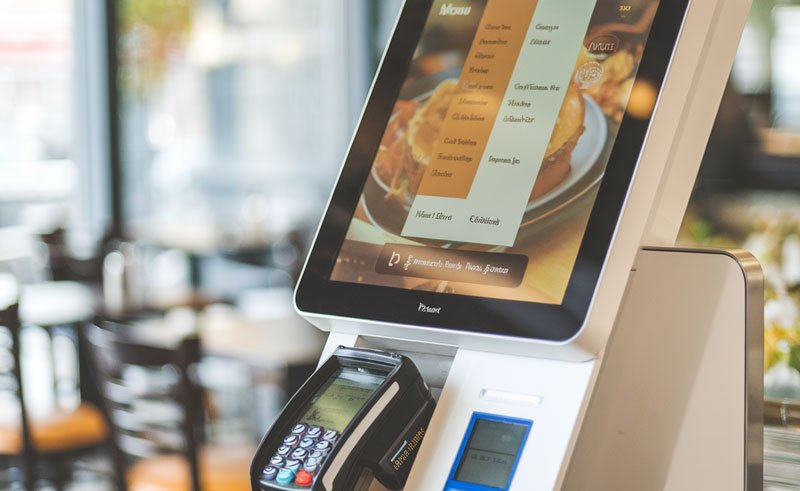
10 Self-service Kiosk Applications for Small Businesses, SMEs
The middle-east market is not just for the MNCs and large business establishments in the domains of banking, finance, aviation, oil and gas etc. In fact, the region also serves as a thriving niche for a plethora of diverse small businesses across various sectors.
The benefits of self-service kiosks are not limited to certain mainstream institutions and businesses like banks, financial institutions, airports, hospitals, large retail outlets, restaurant and fast food chains etc. Even small businesses like car wash outlets, laundries, small cafes and restaurants, and various other service providers can leverage the benefits of kiosk automation.
In this blog, we’ll delve into the same – how small businesses can leverage the benefits of automated kiosk machines.
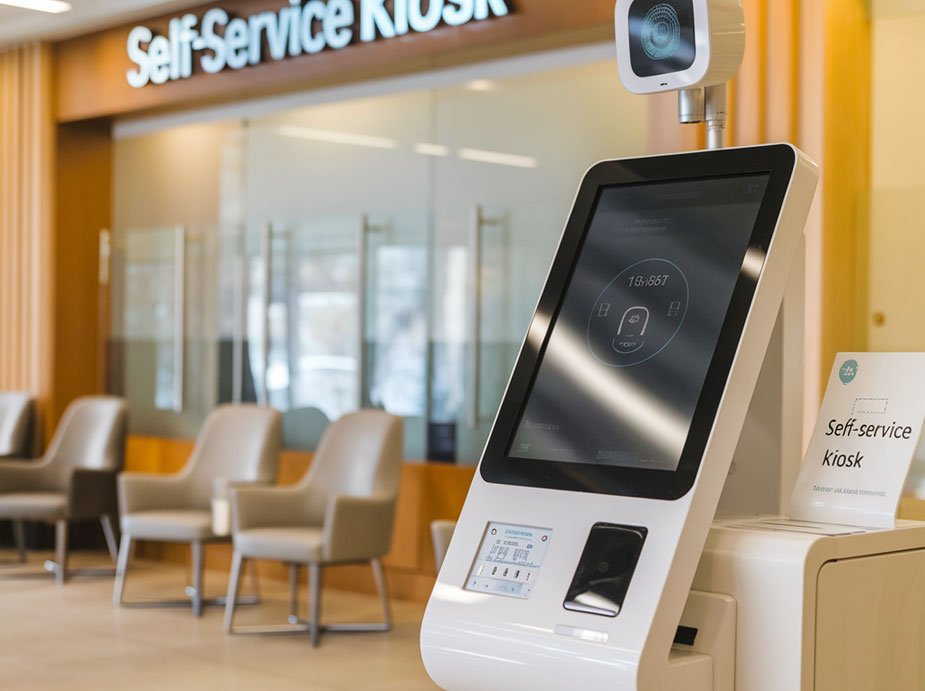
1. Self-service kiosks for laundry businesses
Yes, you read it right! Even small laundry businesses or outlets can automate their services by deploying a self-service laundry kiosk.
Based on a Mordor Intelligence study, the laundry appliances market size for the year 2025 was USD 371.29 million. And the value is expected to rise to USD 489.19 million, by 2030, achieving a growth rate of 5.67%.
In simple words, a well-equipped laundry kiosk helps your customers conduct 24/7, automated laundry. The customer can visit the laundry outlet and perform the preferred washing or drying process without any human intervention. The kiosk machine is loaded with an interactive touchscreen, and other transactional components like payment device, card reader, dispenser, and receipt printer.
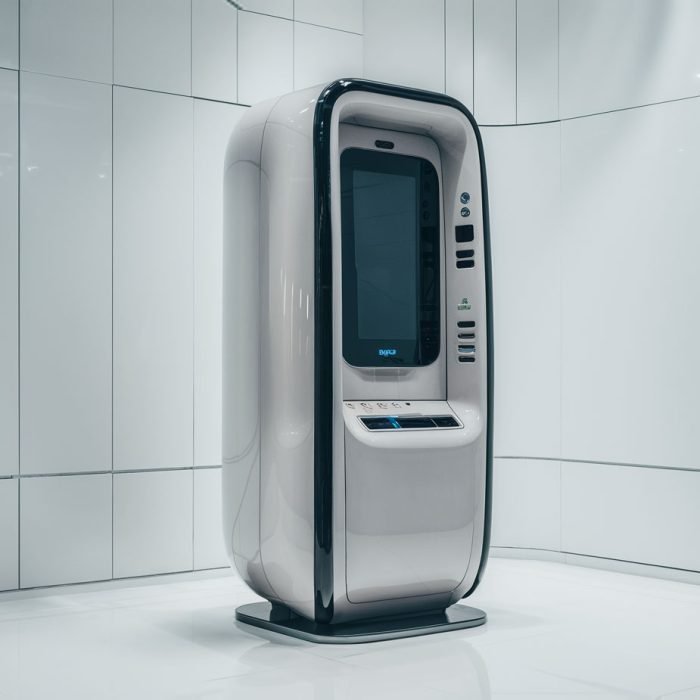
How does a laundry kiosk work?
Process and machine selection – The customer selects the desired process, washing or drying, displayed on the kiosk touchscreen and picks the available machine.
- Load and wash cycles selection - The customer may now select the appropriate load and wash cycles displayed on the kiosk screen.
- Payment time – The kiosk machine then displays the payment for the selected service. Customers have several payment modes to choose from like cash, card, cardless or mobile app payment.
- Drop the laundry – After payment verification, the customer is allowed to drop the laundry into the selected machine.
- Press Start– The machine performs the intended task as per the wash cycles selected by the user.
- Unload the machine – When the wash cycles are over, the user may unload the laundry items.
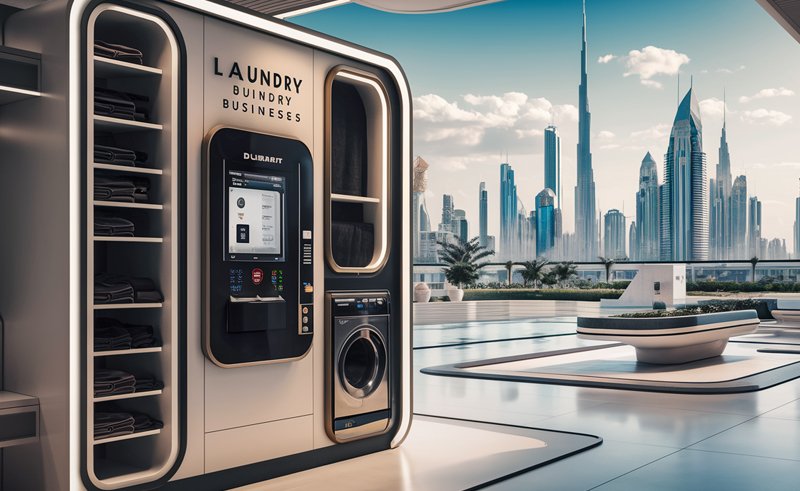
What are the benefits of installing a laundry kiosk?
How laundry operators can benefit from a laundry kiosk is listed below.
- 24/7, automated operation – the laundry operators can run the facility day-in and day-out without human assistance.
- Reduced labour cost – Self-service operation cuts down the labour cost.
- Improved operational efficiency – self-service operations, coupled with efficient payment processing, improve the operational efficiency of the facility.
- Remote monitoring facility – The support team can perform troubleshoots, system updates from a different location without visiting the facility.
- Gain customer insights – the laundry facility providers can gather crucial customer data like their service preferences, the most preferred programs (like 1 hour or 30 minutes wash cycles), preferred payment options etc.
- Integrate Loyalty programs – The laundry business may integrate dedicated loyalty programs to improve customer engagement, and even attract new customers to the facility.
- Gather in-depth analytical insights through bifurcated dashboards and reports, which is critical to monitor the performance and usage of the machines.
2. Key-drop kiosks for car detailing business
According to Salik, Dubai’s toll gate operator, the number of registered vehicles climbed to 4.47 million which registered a 9.3% YoY increase, as of 2025.
Another favorable news comes from the UAE pre-owned market sector. The pre-owned car market sector will definitely boost the car wash industry. A recent IMARC Group study supports the claim.
According to the study, the certified pre-owned car market value stood at USD 7.40 billion in 2026. By 2034, the value is expected to reach USD 12.63 billion, achieving a growth rate of 6.92% (2026-2034).
Yes, it’s the right time to invest in the UAE’s automotive sector.
If you are into car detailing business, you know the customer challenges associated with bringing the car to the car detailing center and taking away the vehicle after service completion. Yes, it’s a matter of practical difficulty!
So, how about installing a key-drop and pick up solution where the customers could securely drop their vehicle keys and collect the same after service completion? And that’s what a key-drop kiosk is all about.
The kiosk terminal can be deployed at any convenient spot in the premises of the facility. The greatest advantage of a key-drop kiosk terminal is that customers can visit the facility at their convenience, both to drop off and retrieve their vehicle after service. This significantly reduces the customer waiting time involved in the detailing facility.
How does a key-drop kiosk machine work?
- Entering vehicle credentials – The customer finds the kiosk terminal and inputs the vehicle credentials at the kiosk screen. Vehicle credentials are necessary for vehicle identification.
- Service selection – now, the customer may select the preferred detailing service displayed on the kiosk screen.
- key drop time - The key drop kiosk terminal is equipped with a secure key storage box, allowing customers drop off their vehicle keys. The customer drops the key into the key storage box.
- Detailing center notification – Once the key is dropped, the detailing center instantly gets a notification regarding the customer and selected service via email.
- Customer exit – the kiosk displays the necessary instructions for the customer to leave.
- Detailing service starts – meanwhile, the detailing center initiates the detailing service based on the selected service.
- Service completion notification – Once the detailing service gets completed, the customer receives the necessary service ID details as notification via email/SM.
- Vehicle retrieval – the vehicle is ready for retrieval.
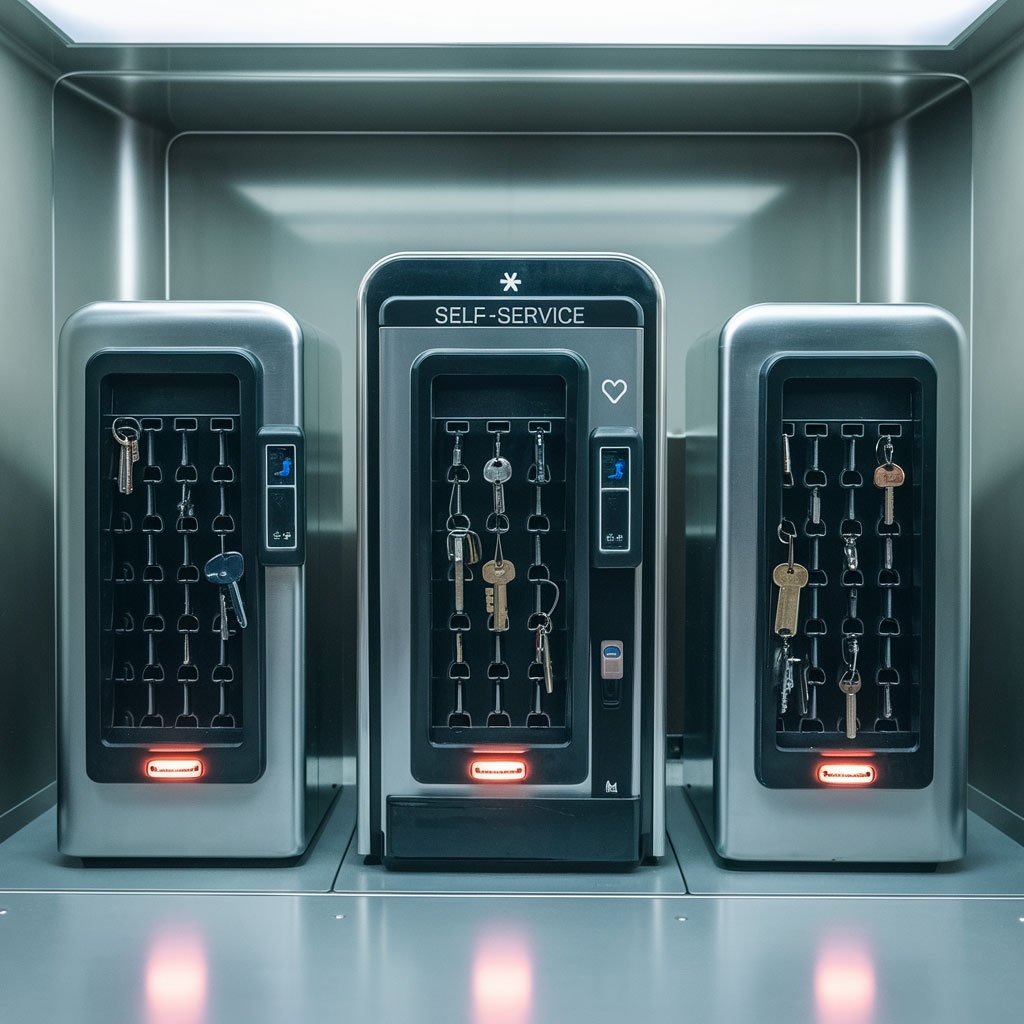
Key-drop pick-up functionality - Explained
The customer may arrive at the facility at any convenient time to retrieve the vehicle. The instructions to retrieve the vehicle are as follows.
- Entering Service ID at the kiosk machine - When the customer returns to retrieve the vehicle, the person gets back to the same kiosk terminal and selects the vehicle retrieval option, followed by entering the service ID.
- Access service order - Once the service ID is entered, the customer can easily access the service order.
- Service payment – After confirming the details published on the service order, the customer may proceed towards payment.
- Collect the key and leave – Once the payment is confirmed, the key gets dispensed in the very next moment via the key pick-up box. The customer may collect the key and leave.
Your customers need not wait in the long lines, and the drop and pick-up facility offers immense convenience too. The key-drop kiosk improves CX, and thereby, customer satisfaction.
3. Self-service kiosk-assisted car wash outlets
A dedicated car wash center presents a lucrative business opportunity for business owners and entrepreneurs in the middle-east. The rising number of car users, and the peculiar middle-east climate favor car wash centers.
Starting a self-service kiosk-assisted car wash center or integrating a kiosk machine into your existing manned facility can improve the operational efficiency, CX, and thereby revenue.
A typical car wash kiosk is equipped with a touchscreen interface, payment device, receipt printer, card reader etc. to streamline service selection and payment process.
How does an automated car wash work?
The kiosk machine eliminates the interactions with an employee and reduces the waiting time involved in accessing the services. This streamlines the car wash operations to a good extent.
- Service selection via the kiosk screen - The customer drives the car towards the kiosk machine. The user can easily access the car wash services displayed on the kiosk screen, and selects the desired service.
- (Deploying a drive-thru kiosk can significantly improve the user experience, as the drivers do not need to get out of their cars.)
- Make payment for the selected service – After selecting the service, the customer may make the payment instantly via the kiosk machine, and collect the receipt in email/print format.
- Take the car to the wash bay – After payment verification, the customer is allowed to take the car to the wash bay. The kiosk machine would display the necessary instructions to lead the customer to the wash bay area. Hence, no worries!
- Washing starts – The automated car wash system performs the washing and scrubbing task with utmost efficiency. The cleaning process takes just few minutes. Meanwhile, the driver may relax in the car.
- Exit the wash bay – After service completion, the car wash system informs the customer to exit the wash bay area.
Car wash facilities of various types like Automatic In-Bay or Tunnel Wash facilities can integrate a kiosk machine into their operations. The businesses can even integrate advanced technologies like RFID into the operations to improve CX to the next level.
4. Self-ordering kiosks for QSRs, cafes and coffee shops
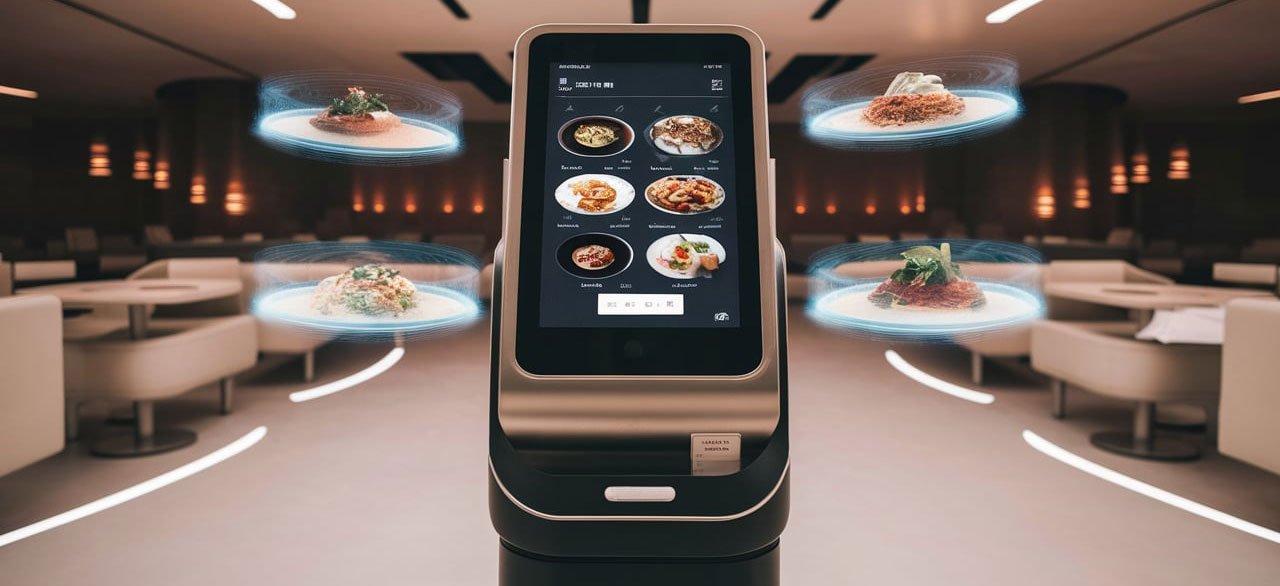
Self-ordering kiosks or food ordering kiosks are common in QSR chains and fast-foods outlets. And their benefits are not just confined to the order-taking process alone. They serve as efficient revenue generating and cost-cutting platforms too.
A QSR kiosk is loaded with various components to automate the order-taking task such as an Interactive touchscreen, receipt printer, payment device, customer identification hardware like facial recognition camera etc.
Even small restaurants can leverage the benefits of these versatile machines.
By investing in countertop kiosks, small restaurants can leverage the full potential of the full-sized standalone machines in a cost-effective manner.
Countertop kiosks for small restaurants
The customers can browse through the menu displayed on the kiosk touchscreen, select the preferred meal, perform the required customizations and make the payment, smoothly and securely, via single kiosk machine. Evidently, the kiosk machine becomes an all-in-one customer interaction terminal.
- Compactness – In design perspective, countertops kiosks are compact and occupies less space compared to the standalone restaurant kiosks.
- Cost-effective – Due to the minimal design and size, countertop kiosks are cost-effective.
- Mobility advantage – Due to the compact size, the machine can be moved from one place to another.
- Tablet and iPad kiosks – Countertops kiosks come in tablets and iPad design formats, which makes the customers feel at home.
The facility to provide personalised offers to the customers, the cross-selling and upselling benefits, the customer data acquisition feature, loyalty program integration etc., are highly rewarding and beneficial for the restaurant businesses.
You have a lot more to gain from these flexible, automated order-takers.
To read the full benefits of self-service kiosks for restaurants, please visit the link here.
5. Visitor check-in kiosk for hotels
Hotels and lodges in the UAE, and other GCC countries may deploy a self-service hotel check-in kiosk to streamline the routine visitor check-in and check-out tasks.
Similar to automated order-taking in restaurants kiosks, a typical hotel check-in kiosk performs automated visitor check-ins and check-outs. These machines can be installed at any convenient spot in the hotel lobby or in the reception area.
And they are instrumental in improving the guest experience, enhancing the operational efficiency and reducing the operational costs.
The key components of a check-in kiosk are an intuitive touchscreen, payment terminal, document scanner, receipt printer, etc.
How does a hotel check-in kiosk work?
If you look into the practical side of hotel check-in, one of the greatest benefits of a check-in kiosk is its 24/7, uninterrupted check-in and check-out functionality. Your visitors can arrive and leave at any time, without any human intervention.
- After arrival, the customers can immediately access the hotel self-service kiosk machine.
- The kiosk welcomes the guest and displays the necessary prompts to initiate the check-in process.
- The guest confirms the identity by either entering the booking credentials like the booking confirmation number or banking card details.
- After confirming the identity, the kiosk machine gathers the booking-related information from the hotel’s back-end system.
- The information related to the number of days reserved, selected room type etc. are displayed on the kiosk screen. This is the time to do the booking confirmation.
- The guest may either go ahead or opt for an upgrade. The guest is allowed to make changes in the booking information like extending the reserved days, upgrading the room, etc.
- After confirming the booking details, the guest may proceed towards payment. There are multiple payment modes like cash, card, cardless, Apple Pay, Google pay, Samsung Pay etc. to make the process smooth and convenient.
- The kiosk machine dispenses the room key immediately after payment confirmation.
- A print/digital transaction receipt is issued at the next moment.
- At the time of check-out, the guest can pay for any unsettled or outstanding bills through the kiosk machine right away.
- Finally, the guest can drop off the room key card at the kiosk machine and make the exit.
All these operations are carried out on a self-service basis without the involvement of a reception or hotel staff.
Convenient guest check-in and checkout, reduced check-in time, reduced congestion in the lobby, improved staffing allocation are some of the crucial benefits of a hotel check-in kiosk.
6. Retail self-service kiosks for retail stores and establishments
A retail self-service kiosk serves as an automated product-browsing and self-checkout platform for retail stores.
The customers can easily order the products and services offered by the retail store by simply accessing the kiosk machine deployed at the entrance, mall corridors or any other convenient spot.
These kiosk machines are payment-integrated, and therefore, they serve as automated mini-stores or mini-branch-outlets that sell various commodities and products without human intervention.
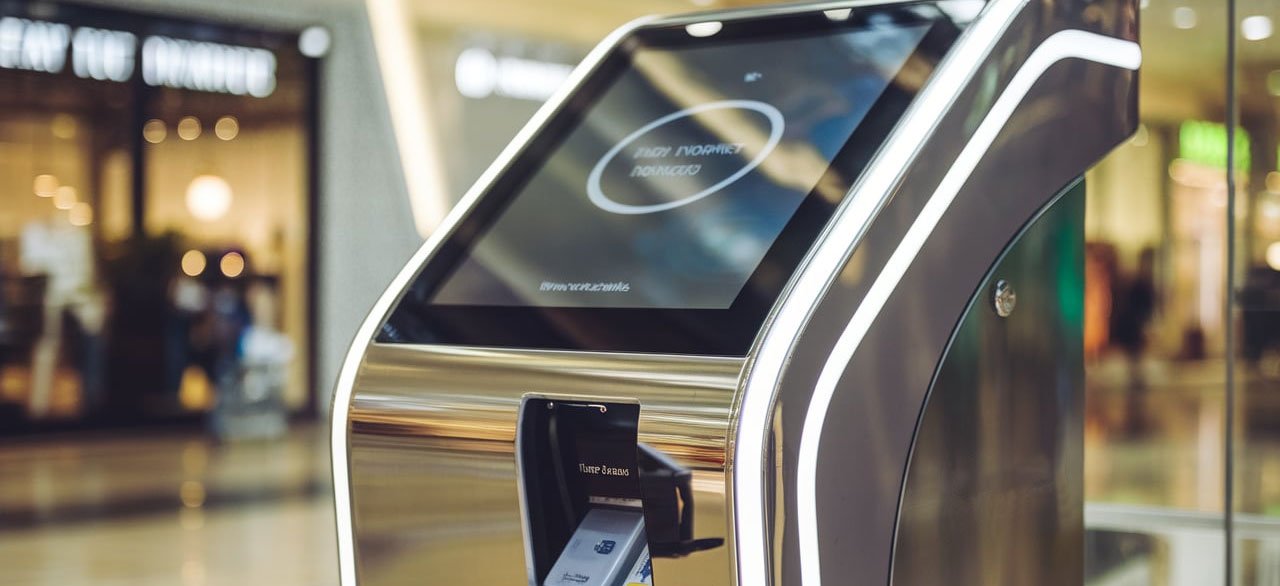
The retail kiosk is integrated with several hardware and software components to facilitate an automated buying experience. The major components are an intuitive touchscreen, payment terminal, receipt printer, card printer, barcode scanner, etc.
- The user starts the session by tapping on the kiosk touchscreen.
- The kiosk machine displays information regarding the shows, events or programs. Users may conduct category-based searches to find the desired event.
- Next, the user may select the date and time of the event. For repeated and schedules events, the user has to pick the available time slot.
- Now the user may opt for the number of tickets needed.
- When the ticket number is confirmed, the kiosk machine displays an order summary on the touchscreen. The user can go through the information and make the necessary adjustments, if needed.
- After finalizing the ticket order summary, the user may proceed towards payment. And of course, your customers can take the advantage of a wide range of payment modes.
- After payment verification, the kiosk displays the confirmation message and instantly issues the ticket/s. The tickets are issued in both digital and print formats for user convenience.
- The kiosk issues a transaction receipt of the session. The user is allowed to print the receipt or direct it to the person’s email ID.
- The user may now log out of the session.
How to order a product through a Retail kiosk?
- By tapping on the kiosk touchscreen, the kiosk machine displays the product listings and categories. With a gentle swipe the user can browse through the products listed.
- Most of the retail kiosks are equipped with customer search option, so that the customers can easily perform a product search by inputting the product name or keyword.
- By tapping on a specific product, the user can access a plethora of information related to the product such as price, description, features, image, reviews etc. The information helps the user take well-informed decisions.
- If satisfied with the product, the user may confirm the selection and proceed towards payment. The kiosk machines offer a wide range of payment modes like cash, card, cashless or mobile ap payments, which significantly improves the user’s purchase experience.
- After successful payment, the self-service kiosk machine issues a receipt in digital/printed format.
- Depending on the availability of the product the kiosk machine provides the necessary prompts for instant pick-up, or home delivery. The user may select any convenient option.
Similar to a fast-food concept, the retail kiosk serves as a “fast-purchase” outlet for customers, expediting the purchase process. The self-service kiosk for retail avoids the long waiting lines and congestions in retail outlets.
Moreover, the retailers can integrate customer loyalty programs, check real-time inventory, and perform upselling and cross selling via the kiosk machine.
The purchase of gift cards and their redemption are common in the UAE. And people make use of these cards in connection with special events, festivals, and for random shopping purposes. And of course, the kiosk machine can handle gift card issuance and redemption too.
7. Patient check-in kiosks for clinics, health centers
You might have used a patient check-in self-service kiosk in hospital premises for your OP check-ins.
The same convenience and improvements in operational efficiency are achievable in a clinical environment as well.
The patient check-in kiosk takes care of the check-in process with great precision and accuracy on a 24/7 basis. Operating a clinic on a 24/7 basis may not be practical, but you may certainly extend the operations time for the benefit of the patients. Of course, the only prerequisite is that the doctor should be present in the clinic!
The kiosk terminal can be installed at any convenient spot like the entrance or in the lobby of the clinic.
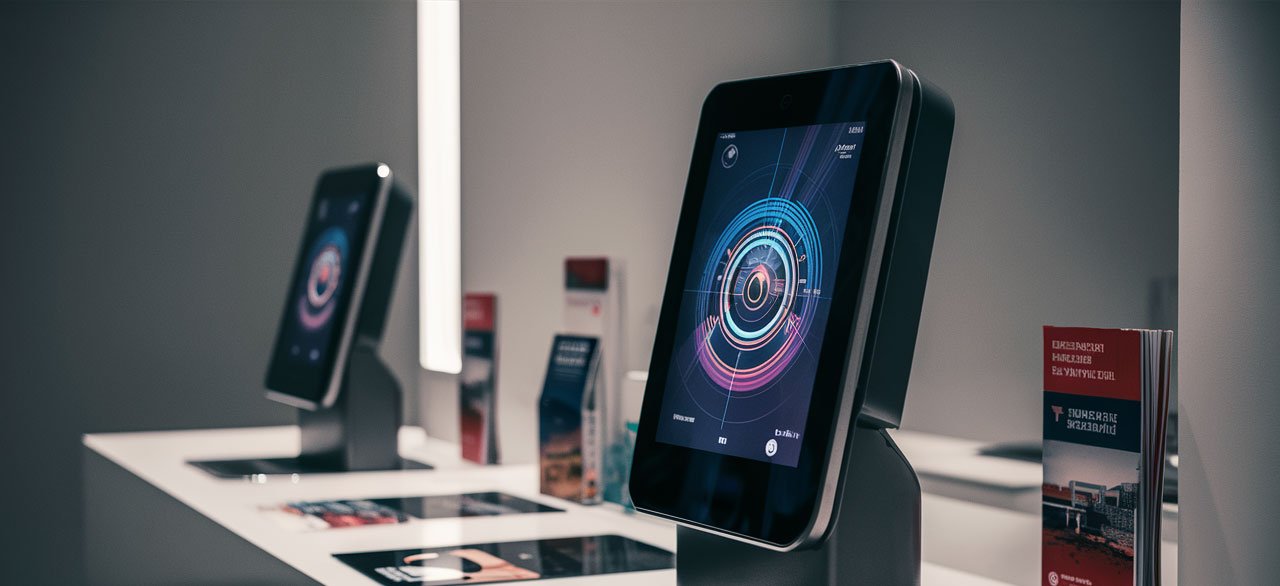
What are the features of a patient check-in kiosk?
A patient check-in kiosk streamlines the operations by reducing the long lines and automating the front-desk-based patient registration task. To add on, patients can access several vital information related to the visit, check-ups etc. And the features are listed below.
- Enables convenient patient check-in
- Smooth and diverse payment modes
- Print medical history
- Test result issuance
- Remote admin management
- Convenient patient authentication via barcode-enabled patient card/ OTP/ biometric verification.
How automated patient check-in works?
Visiting a doctor becomes highly convenient via a self-service patient-booking kiosk. Patients can avoid the long lines and the interactions with reception staff, thereby saving time and maintaining privacy.
- The patient taps on the self-service kiosk screen. The kiosk displays the necessary prompts for patient authentication. The patient may perform the authentication via patient card, through OTP or biometric verification.
- The kiosk screen displays the option to select the appointment type, either a “New appointment” or a “follow up” visit.
- If the patient is new to the clinic, the patient is required to input additional patient credentials like email ID, phone number etc. which is mandatory.
- Now, the patient may conduct a “doctor search” based on various categories like previous visits, doctor name, and specialization.
- When the doctor is selected, the kiosk displays various time slots to visit the selected doctor.
- As per the available time slot, the patient may select a convenient booking date and time.
- After confirming the booking date and time, the patient may proceed towards the payment. The kiosk terminal offers various payment modes like cash, card, cardless and mobile payments.
- After successful payment, the kiosk screen displays appointment confirmation with doctor’s name and date and time of appointment.
- Simultaneously, the kiosk machine issues the payment receipt with scheduled appointment information in both print and email formats.
- After appointment confirmation, the patient may follow the instructions to safely log out the session.
Panashi Patient Check-in kiosk (Medical City for Military & Social Services, Oman)
As part of our latest project, Panashi patient check-in kiosk serves the check-in requirements of our esteemed client in healthcare sector. The hospital check-in kiosk is intended to improve the patient check-in experience bypassing human interactions.
This system is designed for patients with pre-booked appointments to confirm their arrival at the facility. Instead of going to the receptionist, patients can use the kiosk either to enter their Electronic Medical Record (EMR) file number or civil ID number on the kiosk touch screen. Or else, they may insert the civil ID card in the card reader.
The kiosk then connects with the backend Hospital Information System (HIS) to retrieve and display the patient’s booking details. Patients can review and confirm their appointments directly at the kiosk. Once confirmed, the Hospital Information System (HIS) automatically queues the patient for the appointment.
The patient check-in kiosk eliminates waiting time at the reception, reduces congestion, and improves the overall patient experience.
The major components of the patient check-in kiosk are a touchscreen interface, thermal printer, card reader, the kiosk application, a dedicated TMS, a kiosk client listener, and a kiosk server.
Telehealth kiosk is the latest trend in the healthcare consultation domain. These kiosks facilitate remote consultation avoiding in-person visits to clinical or hospital facilities. They are highly suitable for remote locations or in places where medical facilities are minimum.
Read more: Telehealth Kiosks – the solution for Remote patient care
8. Ticketing kiosks for entertainment businesses
In fact, Ticketing kiosks handle 24/7 automated ticketing in connection with entertainment programs or events, where manual ticketing may not be a feasible option.
Ticketing kiosks are common in movie houses and shopping malls, because these establishments require uninterrupted ticket issuance with utmost efficiency and accuracy.
These ticket vending kiosk machines offer a high degree of flexibility and convenience for the customers. The customers can book tickets online and once they reach the venue, they can simply scan the QR code or barcode to print the ticket.
Even small entertainment businesses, crowd-pulling fests or events can make use of these self-service kiosks to streamline their operations.
Automated ticket issuance helps to reduce waiting times, and prevent congestion that arise due to inefficient ticketing.
The ticketing kiosk comes equipped with hardware devices like an intuitive touchscreen, payment processing terminal, ticket printing device, barcode/QR scanner, cash and coin acceptor, receipt printer etc.
- Museums, art galleries – A ticketing kiosk can efficiently handle the visitor entry to the museum and art galleries, thereby reducing the waiting time at the counter. The museum officials can also automate tasks like membership renewal via a self-service kiosk machine.
- Theme-based parks and entertainment centers – Apart from the basic ticketing functions, the kiosk can handle other important revenue generation tasks like upselling, displaying promotional offers, and offering visitor navigation information.
- Theatres, Circus houses, performing art centers – Offer automated ticketing, preventing long lines, congestions, in the theatre premises. The visitors can easily access the time of the events, seat maps etc. via the kiosk machine.
- Ticketing kiosk for Bowling alleys – Even clubs and other entertainment houses that provide bowling lanes for visitors and guests can install kiosk machines for the purpose of lane booking.
- Entry kiosks for Aquarium shops – Managing crowds at aquarium shops can be a daunting task, especially if the aquarium showcases rare breeds of fish and other water-dwelling organisms. A ticketing kiosk can automate the entry of visitors to the aquarium, enabling 24/7 visitor entry.
How does ticket issuance actually work?
The ticket issuance is completed in a very systematic and efficient manner, preventing ticket frauds and other human manipulations.
Apart from the ticket issuance functionality, the event organizers or businesses may integrate loyalty programs into the self-service kiosk system, and thereby enhance the overall revenue.
9. Self-service kiosks for vending machine operators
Vending machines that dispense drinks, snacks, chips, drinking water and other beverages are common in the middle-east, especially in the UAE. Vending machines are suitable for both outdoor and indoor requirements.
The greatest advantage of deploying vending machines is that the operators get real-time information about the inventory and sales, which helps them take well-informed inventory-related decisions. Moreover, if something goes wrong, a remote admin can troubleshoot errors and fix bugs from a remote location, which is extremely helpful for the operators.
According to the research conducted by Ken Research, the retail vending machine market in the UAE was valued at 185 million, as of 2025. By 2031, the market value is projected to reach USD 300 million, acquiring a CAGR of 11.25%. And yes, the market signs are favorable for vending machine operators.
The vending machine is a brilliant integration of several components that work in unison to dispense items based on customer preferences. The integral components are listed below:
- touchscreen interface
- the mechanical parts for dispensing items
- product racks
- card reader
- cash acceptor
- change dispenser
- temperature control systems
- temperature sensors
- item dispensation sensors
- security mechanisms like alarm and lock
How does a vending machine work?
Vending machines come in two types. The glass panel type and touchscreen type. In glass panel type, these machines have glass panels attached to their front side. Therefore, customers can easily view the products displayed, and their codes.
Whereas, in touchscreen or digital type, the product information is displayed on the touchscreen of the kiosk machine.
Here is how touchscreen vending machines dispense items.
- The customers may select the item or product by selecting the desired produced listed on the touchscreen.
- After selecting the item, the customers can input the quantity and confirm their selection. After item-confirmation, the customers are allowed to make the payment. The vending machine offers a range of payment options like cash, card, cardless and mobile app payments.
- After payment verification, the selected item is dispensed by the kiosk machine into the collection tray. Immediately, the self-service kiosk machine displays the “Dispense successful” confirmation message with an Order ID on the kiosk screen.
- The user may collect the selected item/s from the tray, usually located at the bottom of the machine.
- The kiosk issues a printed receipt of the transaction. And that’s it!
24/7, uninterrupted item-dispensation functionality, customer loyalty program integration, remote monitoring facility, upselling opportunities etc. are highly beneficial and rewarding features for shop owners, small retail establishments, restaurants etc.
Modern smart vending machines make use of AI, computer vision and smart sensors to improve the overall vending experience.
10. Student kiosks for learning centers, training institutes
Do you run a training institute? Or, are you into education sector?
If you are into facility-based student training, you should certainly consider investing in a student kiosk.
You’ll definitely agree with my take, once you get to know the benefits associated with installing a self-service student kiosk in a training center or institute. Kindly, read on…
Educational institutes and training centers can leverage the benefits of self-service kiosks. The kiosk machine can handle several critical tasks pertaining to a training institute like information dissemination and administration management.
The kiosk machine can be installed in the reception area, entrance or at any other convenient spot that receives the attention of students.
What are the features of a student kiosk?
The feature-packed student kiosks can manage several important tasks related to the daily operations of the training facility. The most important ones are listed below.
- Automated registration and enrolment – The student kiosk offers a plethora of information related to the course offered, course description, the time slots available, etc.
Therefore, students can enter the institute, straightaway access the kiosk machine, browse through the course-related information and register for the desired course easily, at a convenient time. And this can be done without filling any paper forms or interacting with any counselors or reception staff.
Highly convenient, isn’t it?
- Serves as an Information Kiosk – The students can access all the necessary information prior to admission, and during the course of study via the kiosk machine. If the training facility is huge enough, the kiosk machine can offer facility maps and other “Student Help” services via the kiosk machine.
Even study abroad consultants can make use of an information kiosk terminal to market their study abroad programs, offer appointment booking, provide visa guidance, etc.
- Attendance tracking – the kiosk machine can track the daily attendance of the students through card readers or via biometric authentication. Students can conveniently scan their ID card at the kiosk machine during the arrival time, as in the case of check-in, and perform check-outs when they leave. The check-in and check-out times will be recorded in the back-end system for the purpose of attendance management.
- Automated payment terminal – the self-service kiosk machine accepts student payments related to registration fees, exam fees etc. The kiosk offers various payment modes for the convenience of students. Once the payment is confirmed, the kiosk machine instantly issues the payment receipt. Hence, the payment process becomes highly straightforward and simple via the kiosk machine.
To add on, the facility manager may track the attendance on real-time basis. Even students can avail this facility via the kiosk machine without waiting in the office premises for long.
- Handles Administrative tasks – The self-service kiosk handles various administrative tasks like issuance of ID cards, certificates, etc. The students, if needed, can print course materials, certificates or any other document of significance via the kiosk machine.
The registration for exams, assignment submissions can be performed via the student kiosk. Even exam results can be published via the kiosk terminal.
By automating administrative tasks, the kiosk terminal helps to significantly bring down the administrative workload, which means considerable savings in administration-related expenses.
- Student feedback portal – The kiosk machine serves as a feedback portal for students as they can easily submit their suggestions or complaints via the kiosk terminal.
The student kiosk streamlines the day-to-day operations of the training institute, reducing the burden on the staff, and serving as a dependable, go-to platform for students.
What are the benefits of self-service kiosks for small businesses?
Small businesses enjoy several benefits by deploying automated kiosk machines in their premises. Many of these benefits are common and are applicable to all industries or sectors. And those rewarding benefits are listed below.
- Lower labour costs - Kiosks handle orders, check-ins and payments. That frees a small team to serve customers instead of standing at the counter.
- Shorter queues - Customers order at their own pace, so lines move faster during the lunch rush.
- Higher order values - The kiosk shows upsell prompts like “Add a drink?” on every order. Staff sometimes forget. Kiosks don’t.
- Fewer order errors - Customers enter their own orders, so there are fewer mix-ups at the counter.
- Round-the-clock sales - Outdoor or after-hours kiosks keep selling when you’re short-staffed or closed.
- Flexible payments - Cards, mobile wallets, cash and QR codes all work in one place.
- Useful customer data - Every transaction shows what sells, when and to whom. You can use that to plan menus, stock and promotions.
- Multilingual ordering - Language options help tourists and expat customers order with confidence.
- Modern brand image - A sleek kiosk tells customers your business is up to date.
- Easy to scale - Start with one unit and add more as footfall grows.
- Improved CX – The 24/7 uninterrupted service, the interactive touchscreen experience, fast and efficient transactions, the accuracy and consistency in operations, multilingual functionality – All these factors improve the overall customer experience.
The final takeaway
Of course, there is the investment aspect involved. However, the cost efficiency, the improved operational efficiency and the enhanced CX of kiosk automation would soon bring the desired ROI.
The immense versatility and customisation benefits of the kiosks help businesses deploy these machines in a wide range of business environments and use-cases. The scalability benefit that they offer supports your future expansion plans. For example: You may start with a single unit and later scale the business by deploying multiple units.
Even your customer mindset and needs are changing with the evolving technology. They demand more control and privacy in the purchase process. A smooth and efficient transaction coupled with personalisation is the KEY to improved customer experience.
Frequently
Asked Questions
Yes, more often than most owners think. Countertop and wall-mounted models cost much less than full-size floor units, and many vendors offer leasing or rental plans. And because a kiosk takes over repetitive counter work, it can pay for itself through saved staff hours and bigger orders.
In a small store, a kiosk can be a self-checkout, an extended product catalogue, a price checker or payment terminal. Customers find products, check stock and pay without standing in line. For a store with a small team, that means more sales without hiring more staff.
Small businesses should check the five points listed below.
- Pick the kiosk that suits your space and operations.
- the payment options it accepts (cards, mobile wallets, QR codes, cash).
- whether the software is easy to update.
- whether it connects to your POS or management system.
- the vendor’s after-sales support.
Yes. Panashi offers self-service kiosk solutions for small businesses in Africa. Our kiosk solutions are mobile money ready and support a wide range of industries and businesses in Africa. We offer customisable kiosk solutions in all major African countries like Uganda, Kenya, Tanzania, Senegal, Nigeria, Ghana, and more.
Yes. Panashi offers self-service kiosk solutions for businesses of every size, from a single café or retail store to a growing franchise chain. Small businesses can start with one compact unit and add more as they grow.